

Solutions for Ordering Based on Menu Portions Forecast, Pars, and Pre‐made Shopping Lists
Document Management for Pre‐Order Processing, Approvals, and Receiving
Pre‐Order function facilitates every type of ordering from one screen
Via a simple, easy‐to‐use pre‐order process, orders can automatically reflect forecast menu needs, par and re‐order points, filtered by class, category, supplier or location. Or users can access simple lists and shopping lists with quantities already entered. Site managers can edit and round up or down to the nearest purchase or usage unit. Once the manager is happy with the order he/she presses one button and the order is split into Requisitions for district or supervisor approval, Purchase Orders direct to vendors (in draft, for later editing and submission), and Supply Orders to the warehouse, all based pre‐assigned setting in each item.
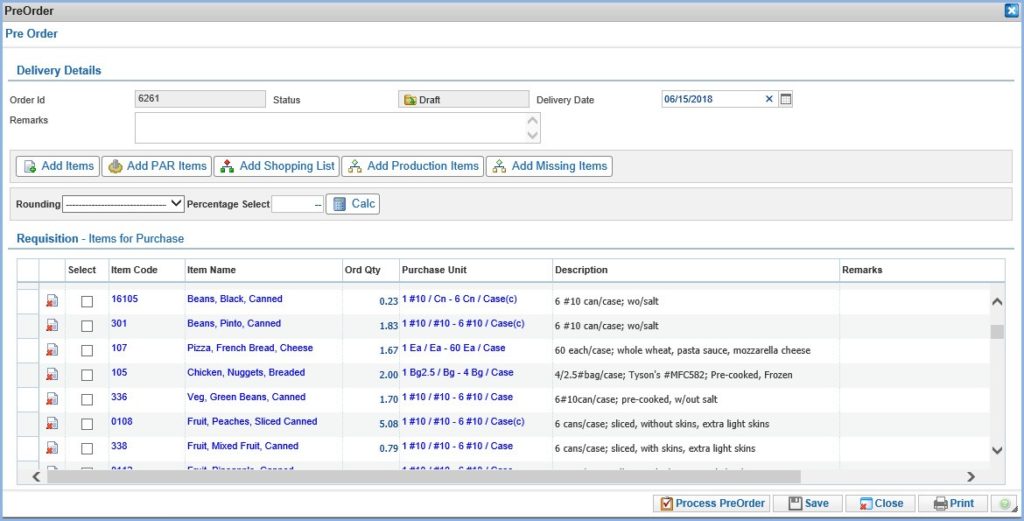
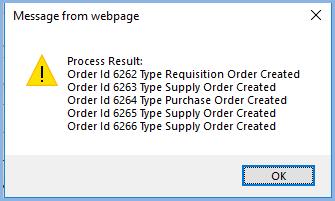
Processing the Pre‐order automatically creates Requisitions for District or Supervisor Approval, Supply Orders to the warehouse, central kitchen, or base kitchen, and Purchase Orders to outside vendors. Electronic interfaces send orders to participating vendors automatically on a real time or determined schedule.
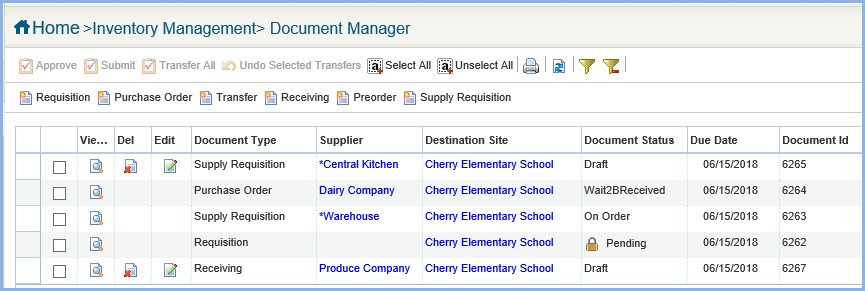
Document Manager
Users can control and monitor all ordering and receiving activity in the Document Manager. View, delete, edit (if still in draft mode) and cancel or reverse. Suppliers and due dates are clearly marked. Click the top of any column to sort by column heading.
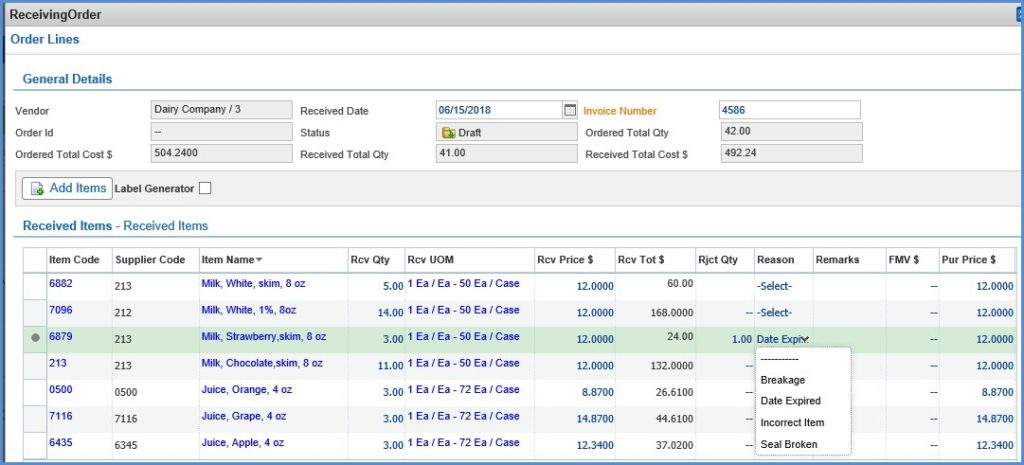
Receiving Screen
Enter the invoice number, check the vendor item code, edit any amounts received that are different than the amount ordered, add last minute ordered items, reject broken or spoiled items and record reason.
Partially received orders automatically create back orders (if allowed by the district) or can be closed by the user.
Rejected items can be recorded and sub‐ tracted from the receiving screen along with documentation of reason.
 Contact