

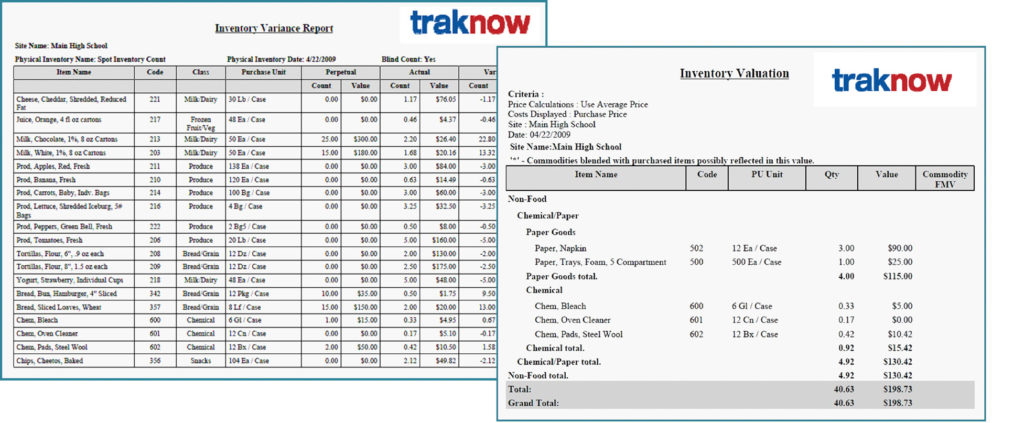
Display variances to double check count entry and select valuation methods and select options to display weighted average, FMV, brokerage, processing, storage, and pass through (net off invoice) values.
Inventory Counts and Valuation is a great place to get started with TrakNOW. Jump right in by importing items from your prime vendor or enter your items through a convenient on‐screen wizard and you are ready to go.
Accurate Counts!
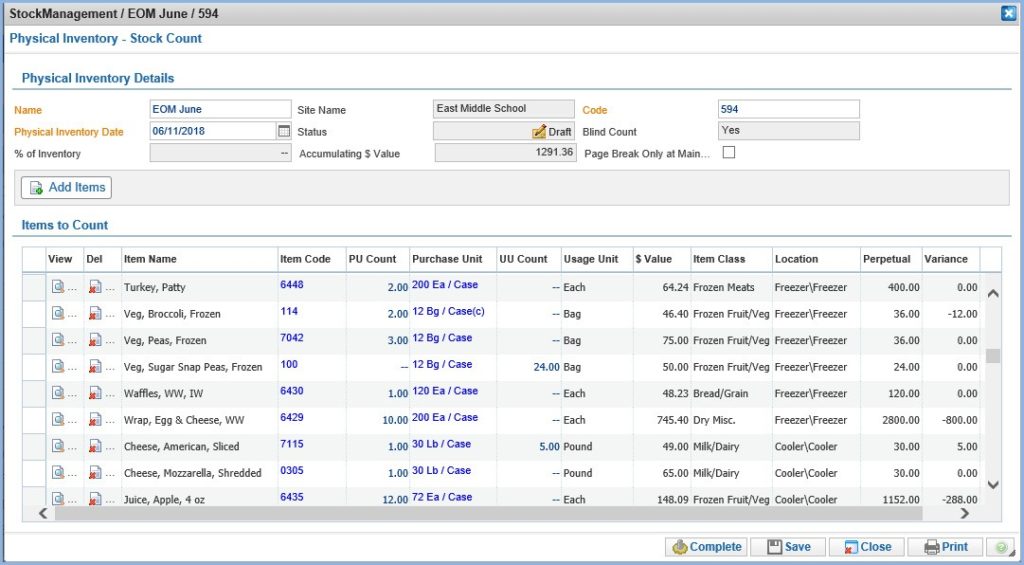
Custom design count sheets
- Design centrally or by school site
- Option to require “blind” counts
- % of inventory spot counts
- Count by active items
- Add items to sheet by location, class, category, alpha, code, predefined list,
- View item supply definitions with one click of your mouse
- Sort by location, shelf order, alpha, code, class,
- Move items up and down the list using arrow buttons to create any order
- Print count sheets to match screens for accurate data entry
- Supports Supervisor and/or District Approval of submitted
Add Value
Print count sheets to match screens for accurate entry

Hide or display theoretical perpetual inventory and variance
- Enter counts in Purchase Units
- Enter counts in Usage Units
- Enter counts in any Purchase Unit contained in the purchase history and TrakNOW will recognize it
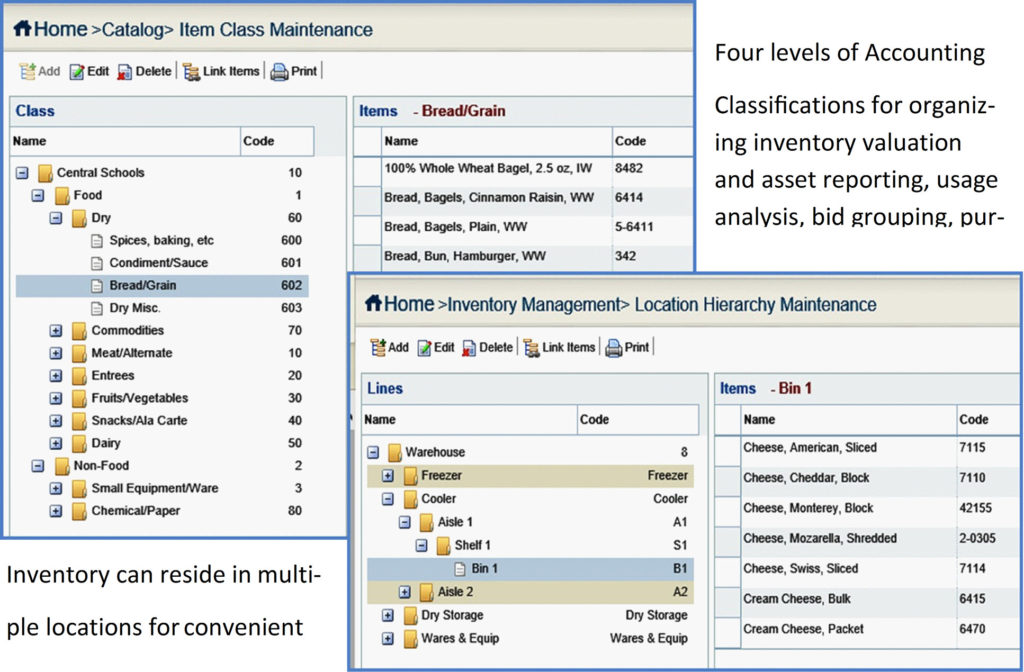
All the tools you need to organize your inventory
 Contact